How to Play Wuthering Waves on Linux (Steam + DW-Proton Guide)

Wuthering Waves runs on Linux through Steam with the DW-Proton compatibility tool. DW-Proton is installed with ProtonPlus, and you then tell Steam (or ProtonPlus) to use it for the game. This guide covers the full setup.
Image source: https://t.bilibili.com/1027498671347859464
What you need
Section titled “What you need”| Item | What it is for |
|---|---|
| Steam | Installs and launches Wuthering Waves |
| Wuthering Waves | The game itself, installed through Steam |
| ProtonPlus | Downloads the DW-Proton runner |
Step 1: Install ProtonPlus
Section titled “Step 1: Install ProtonPlus”Install ProtonPlus from Flathub: https://flathub.org/en/apps/com.vysp3r.ProtonPlus, or search for ProtonPlus in your software or app manager.
Step 2: Download DW-Proton
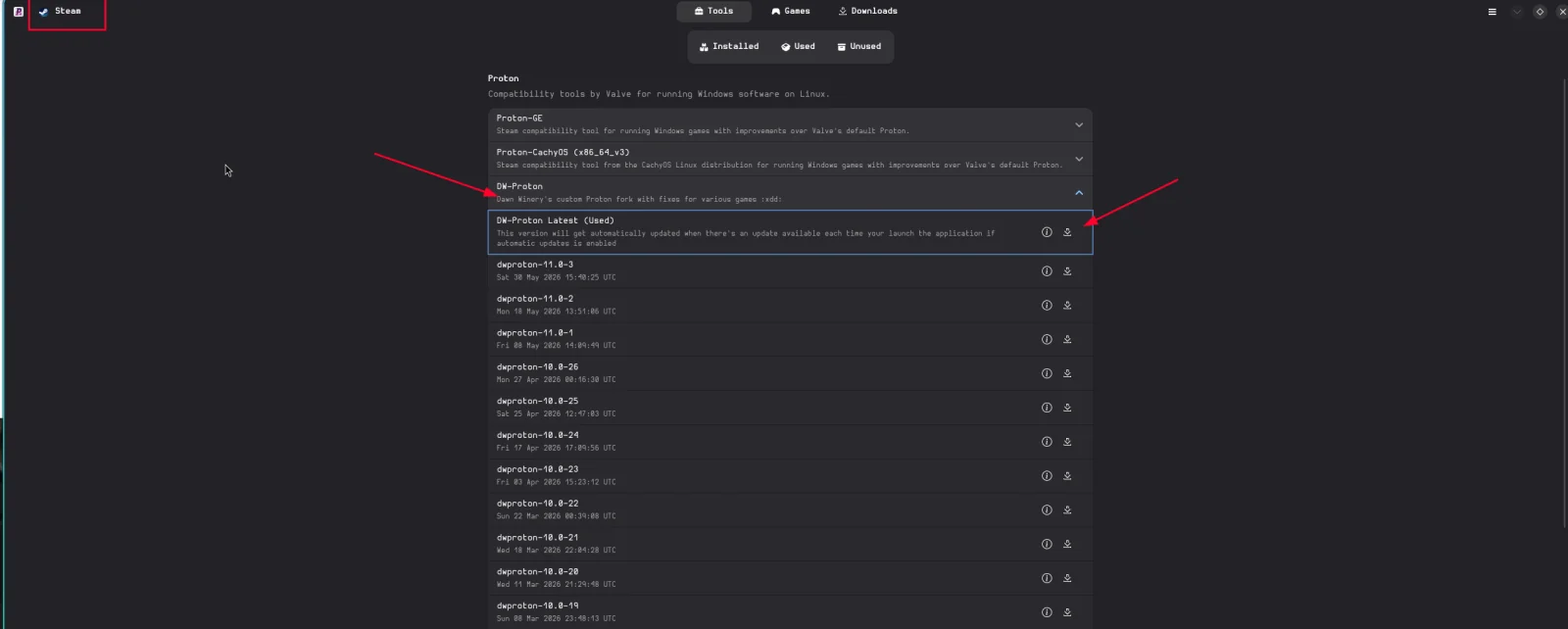
Section titled “Step 2: Download DW-Proton”Open ProtonPlus and download the latest DW-Proton. Make sure you are installing it for Steam, shown by the icon in the top right.
Step 3: Set Wuthering Waves to use DW-Proton
Section titled “Step 3: Set Wuthering Waves to use DW-Proton”You can do this in ProtonPlus or in Steam. Either works.
Option A: In ProtonPlus
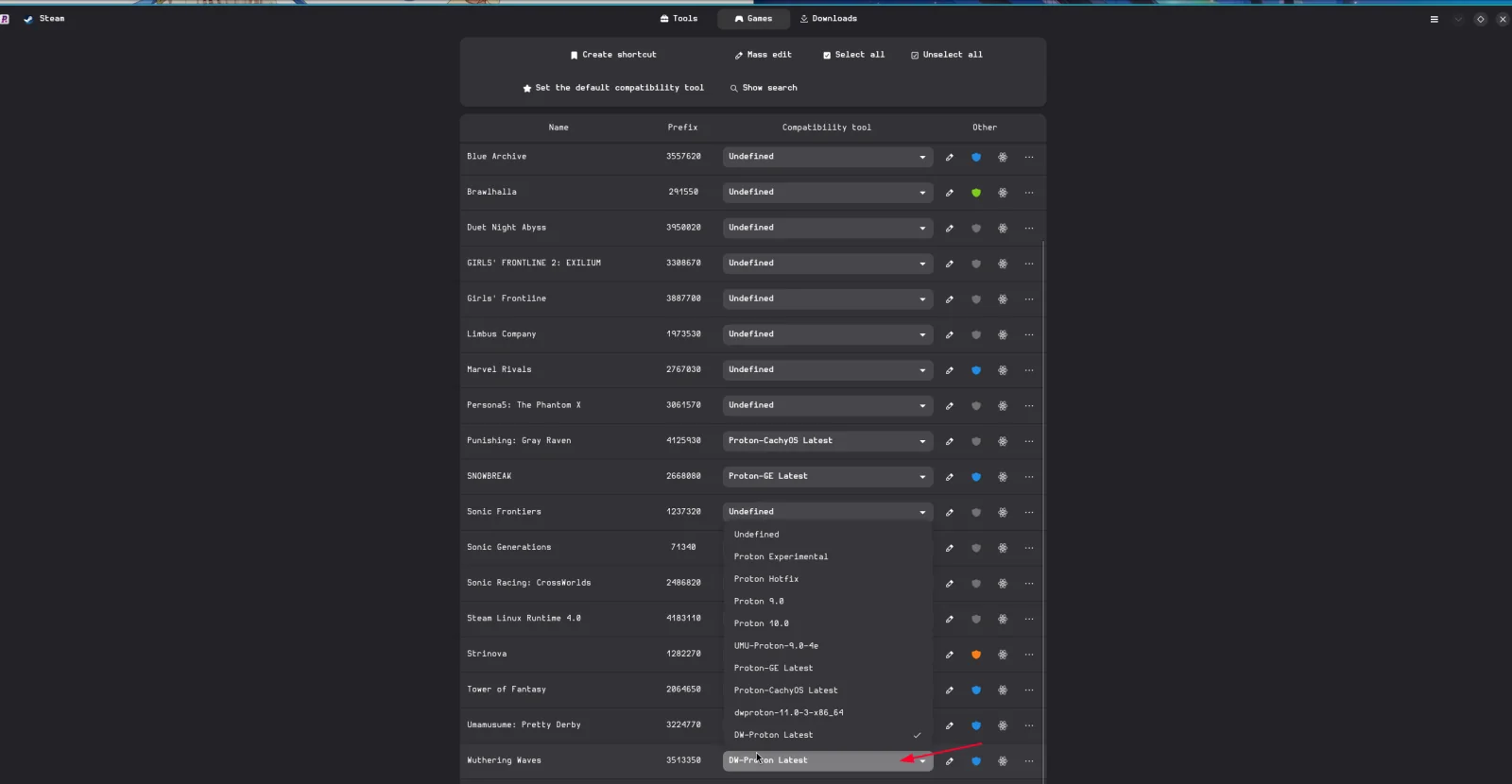
Section titled “Option A: In ProtonPlus”Set Wuthering Waves to use DW-Proton in the compatibility settings in ProtonPlus.
Option B: In Steam
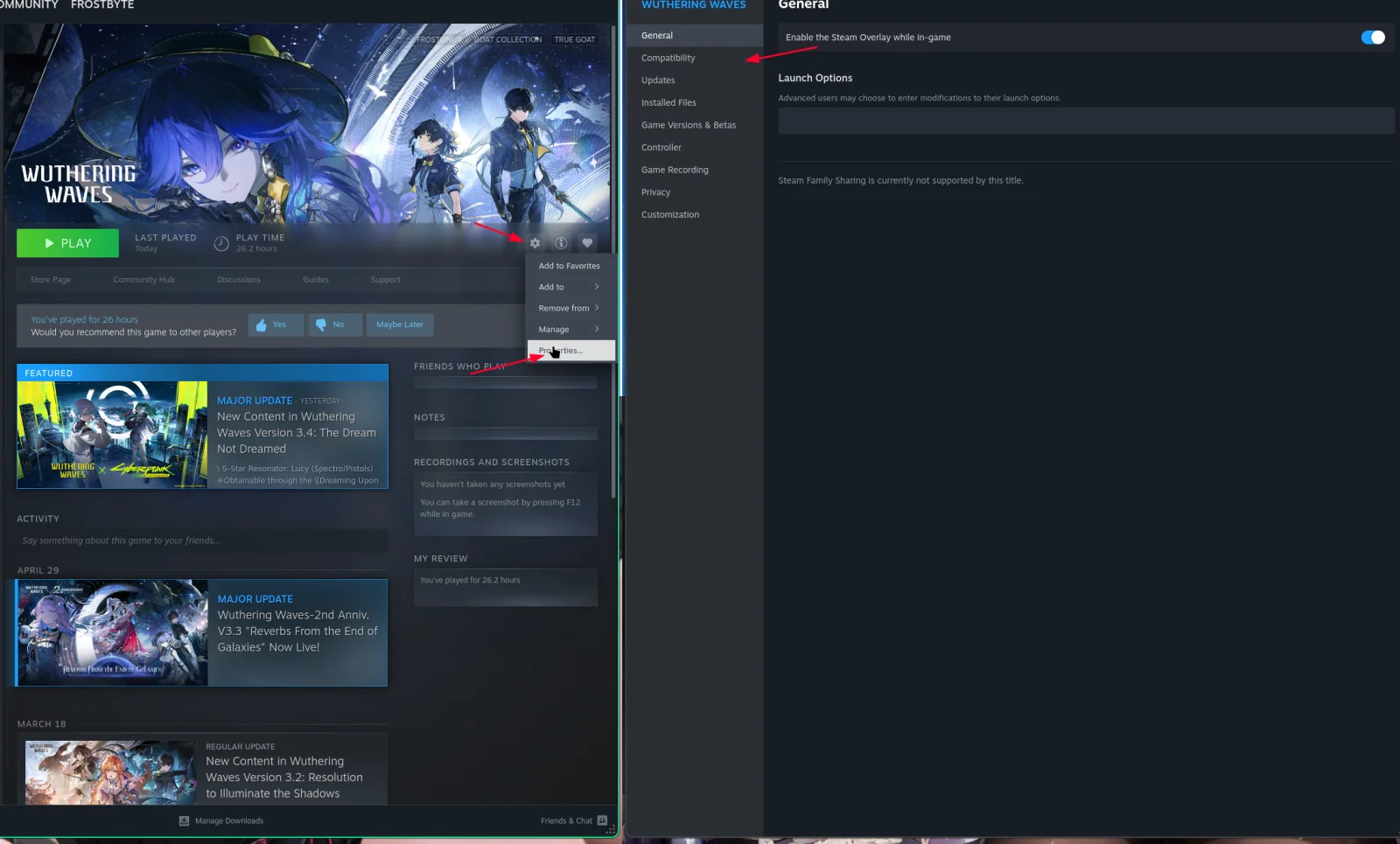
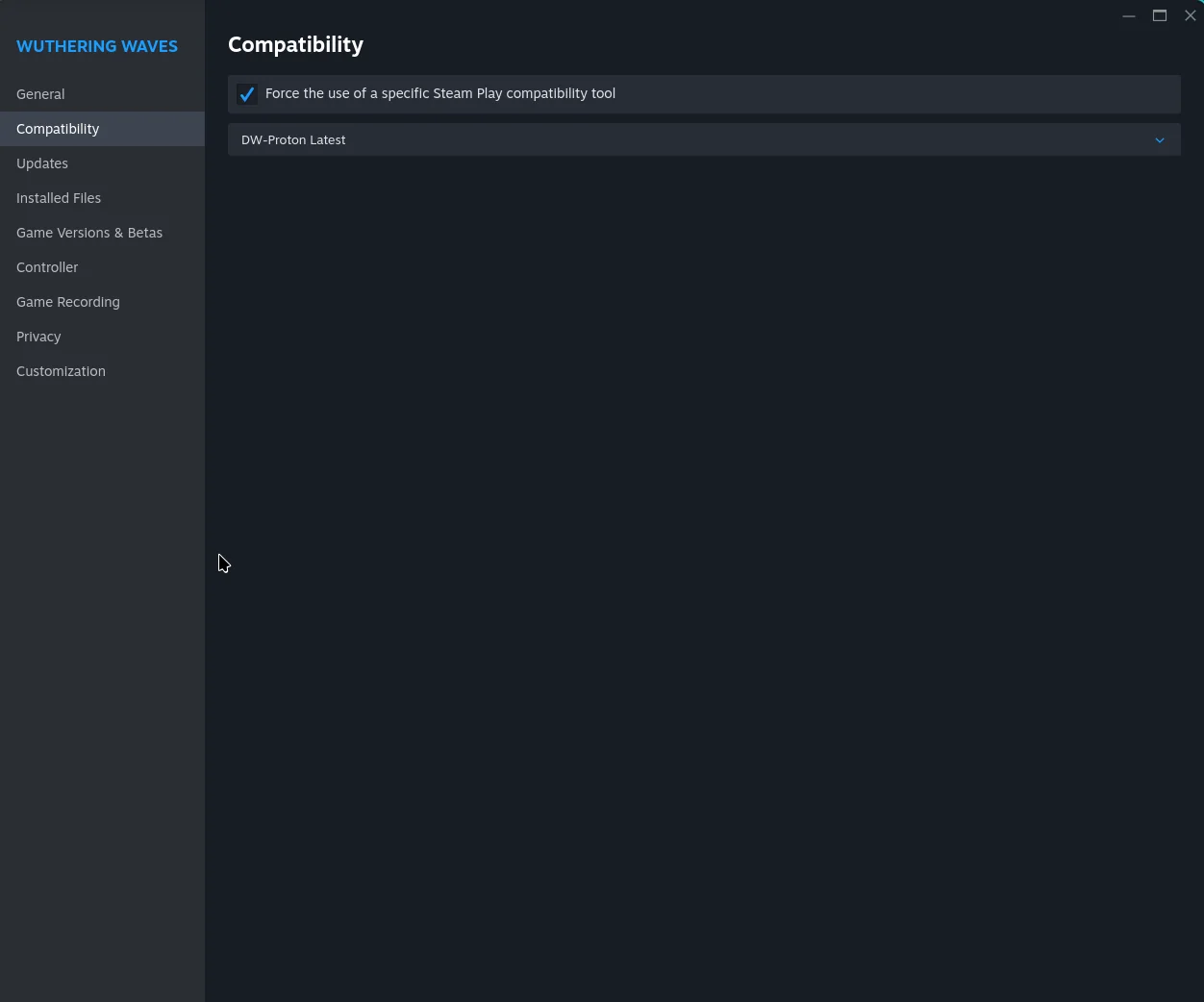
Section titled “Option B: In Steam”Open the game’s properties in Steam, go to Compatibility and select DW-Proton.
Then you can play.
Login tip
Section titled “Login tip”For logging in, it is best to link your Steam account to whichever login service you used before.
Frequently asked questions
Section titled “Frequently asked questions”Can you play Wuthering Waves on Linux? Yes. Install it through Steam and set DW-Proton as the compatibility tool, as shown above.
Which Proton should I use for Wuthering Waves? This guide uses the latest DW-Proton, installed with ProtonPlus.
Do I need to use ProtonPlus? ProtonPlus is the easiest way to download DW-Proton for Steam. You can then select it either in ProtonPlus or directly in Steam’s compatibility settings.
Where do I select DW-Proton in Steam? Open the game’s properties, go to Compatibility, and choose DW-Proton from the compatibility tool list.
Game key art and screenshots are © their respective owners and are shown here for identification only.